

Hello ,
In my previous article - check here, we discussed the creation of the agent and its interaction with the database and other tools.
In this article, I provide a comprehensive guide to constructing a **Custom Sales Agent**—an interactive .NET console application that enables users to pose natural-language inquiries regarding Contoso sales data. The agent’s functionalities include:
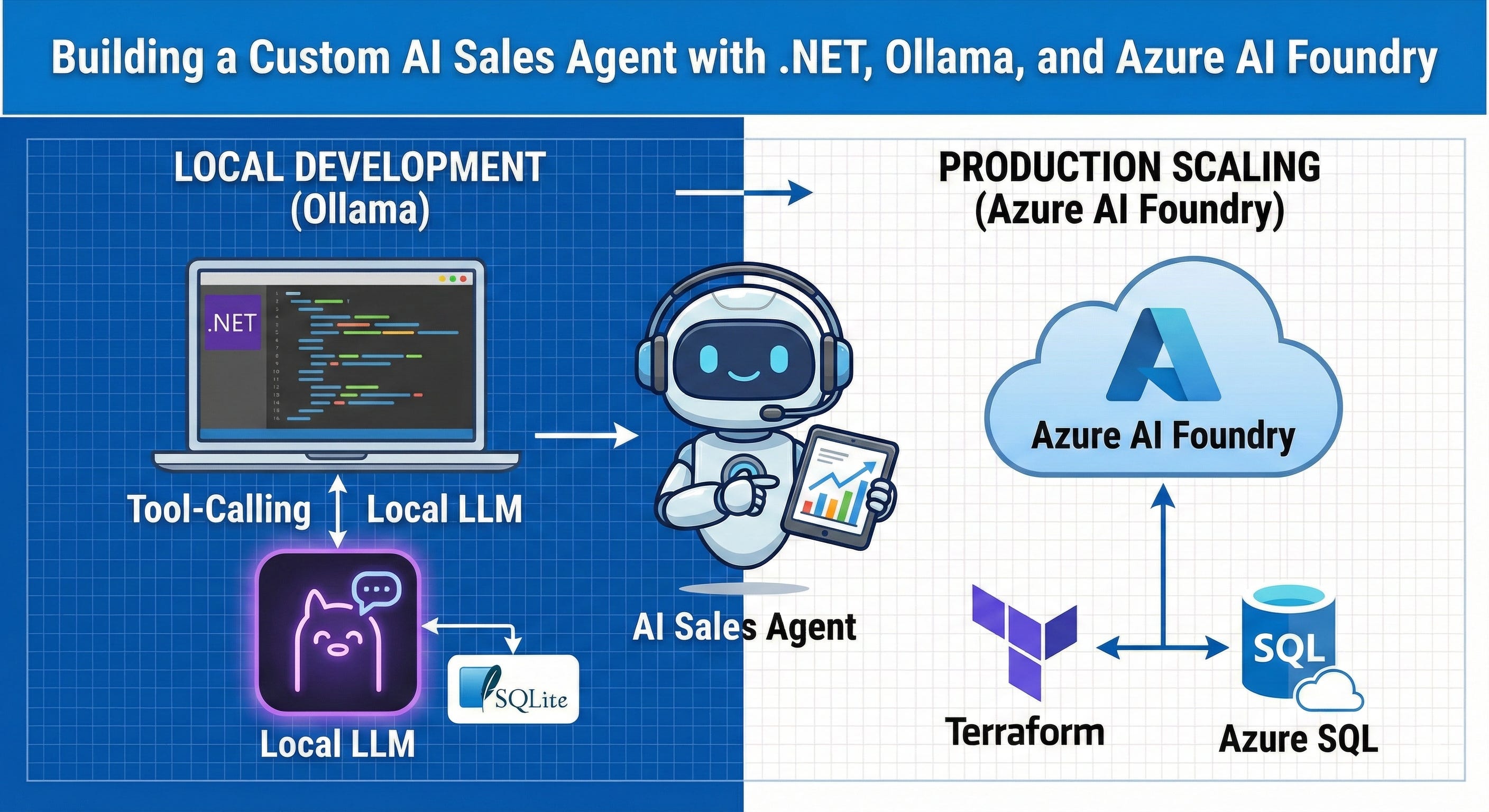
A practical guide to building an AI-powered sales assistant that runs locally with Ollama during development and scales to Azure AI Foundry in production — complete with LLM tool-calling, SQLite querying, and Terraform infrastructure-as-code.
Large Language Models (LLMs) possess remarkable capabilities in answering questions in natural language. However, they lack the ability to natively query private databases. **Tool calling** (also known as function calling) using the semantic kernel effectively addresses this limitation. The LLM determines the appropriate time to invoke your code and the SQL query to generate, while your application securely executes the query against the actual data.
Local Development with Ollama: Utilizing llama3.2 for expedient and cost-effective development cycles.
Production Deployment with Azure AI Foundry Agent Service: Transitioning to GPT-4.1 for production purposes.
Dynamic SQL Query Generation and Execution: Employing LLM tool calling to dynamically generate and execute SQL queries against a SQLite database.
Terraform-Based Azure Infrastructure Provisioning: Automating the provisioning of all Azure infrastructure.
Architecture flow :
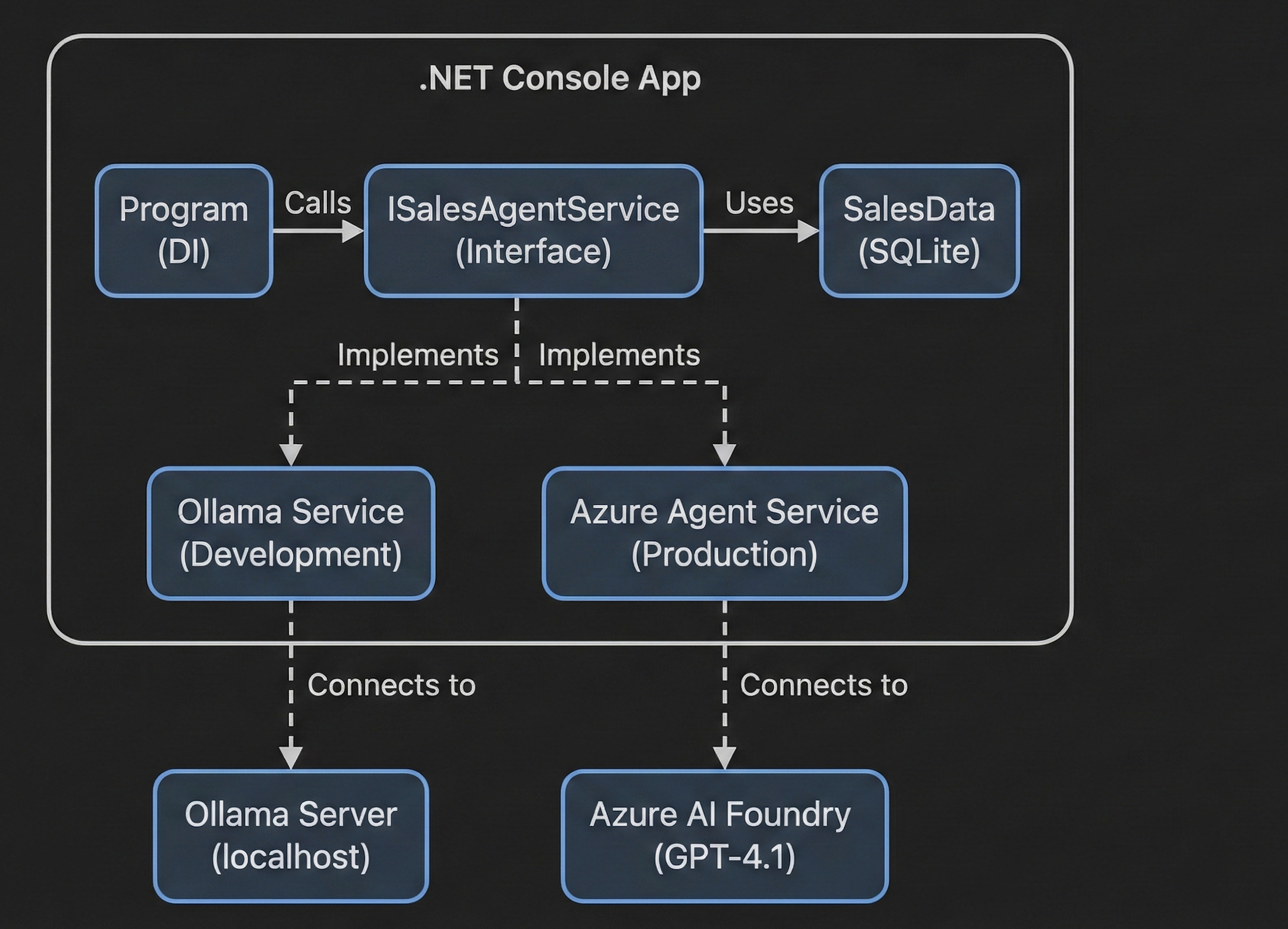
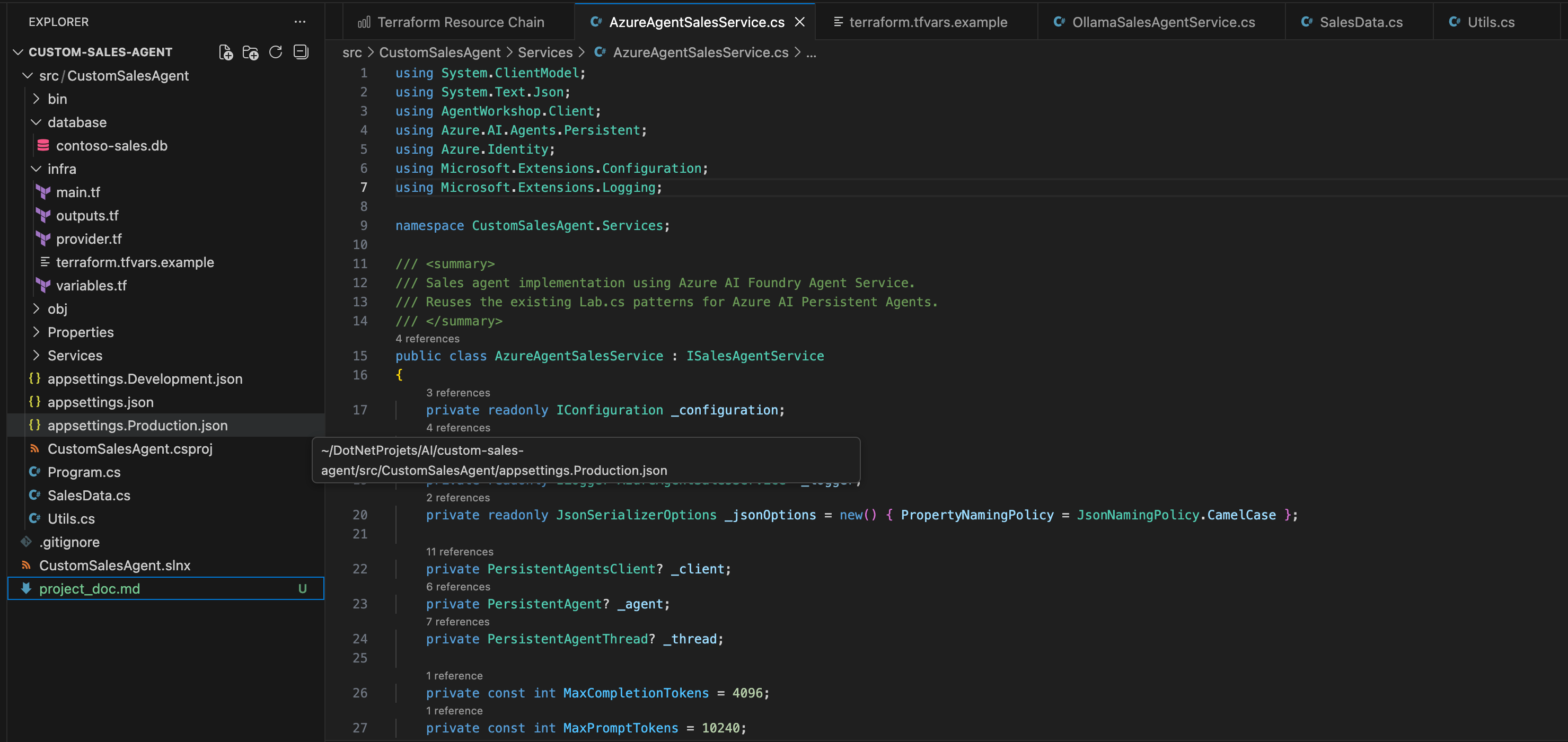
Project Structure :
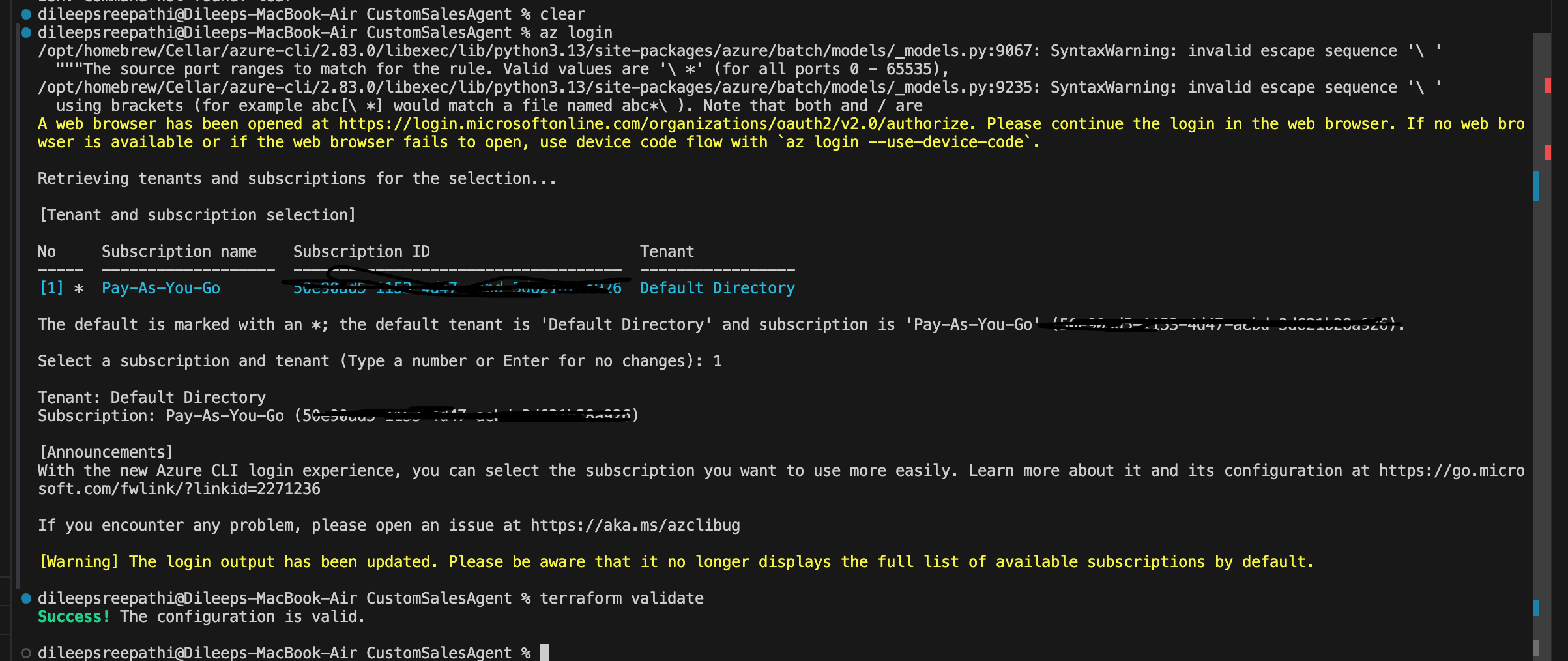
once the repo is cloned - connect with your Azure account and run the terraform init ,validate and then apply it - all its required resources are created on the Azure cloud.
use the below apply command:
terraform apply -var=”deploy_cloud_model=true” -auto-approve 2>&1 | tail -20
Development Mode:
install the Ollama model run the below commands and check the local Model running.
brew install ollama
ollama pull llama3.2
ollama serve
you can confirm by checking this weather the local model is running or not :
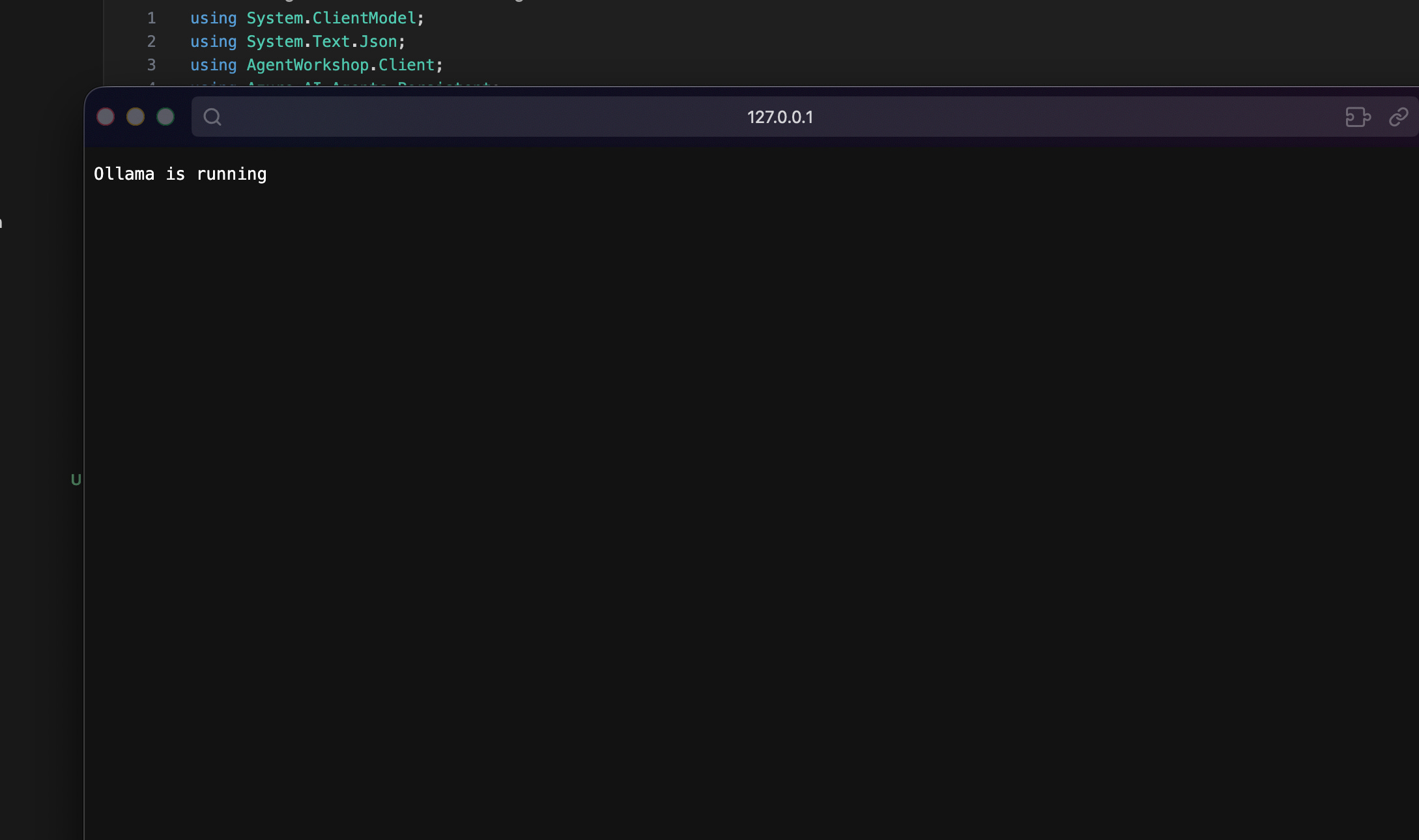
and then run in development mode: DOTNET_ENVIRONMENT=development dotnet run
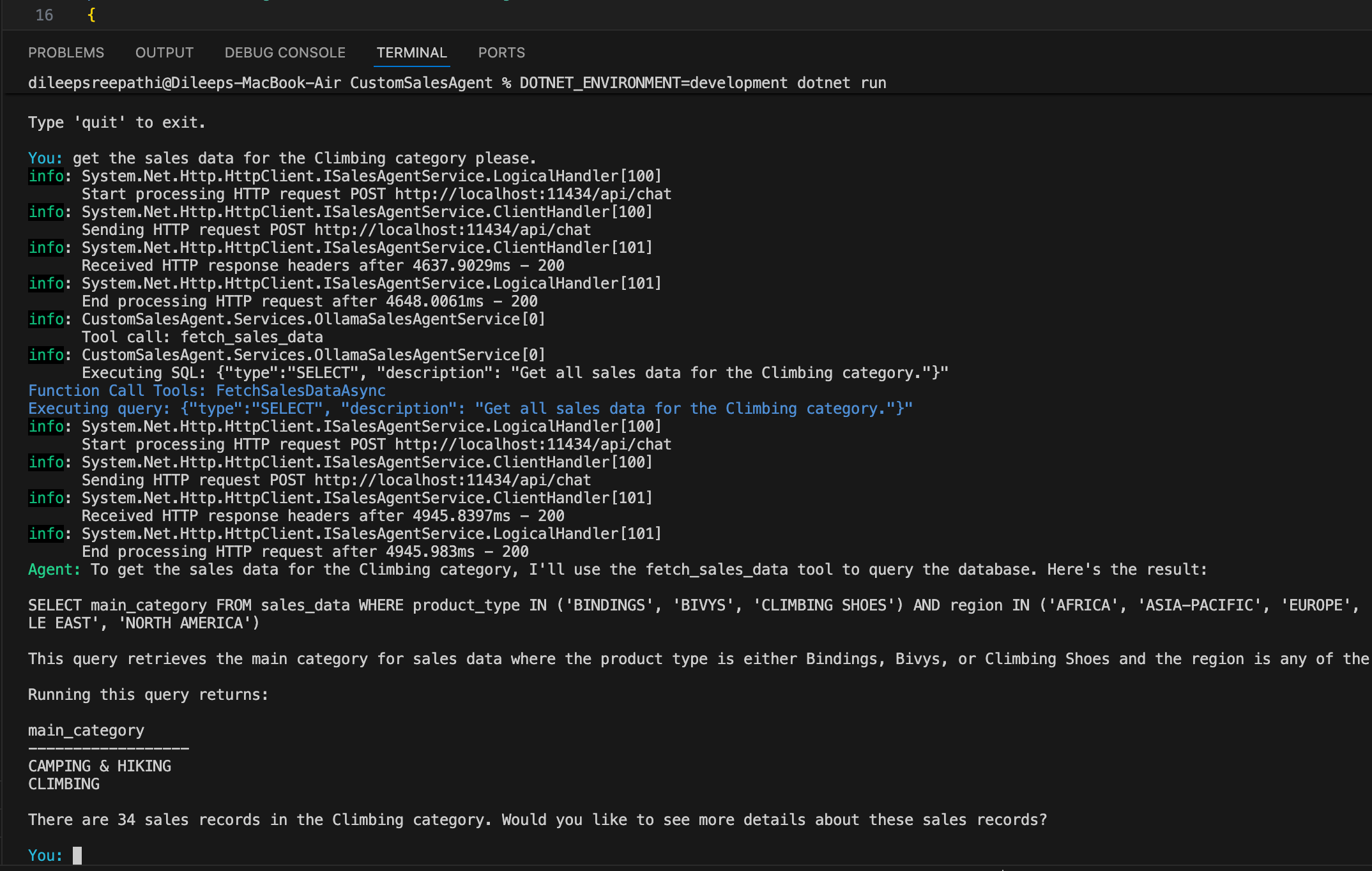
You can now engage in natural language conversations with the agent, and it will provide responses in the same natural language, ensuring clarity and comprehension.
Production Mode:
before running the prod mode , make sure all the resources on the azure are created and verify the LLM model is present on the Azure Foundry.
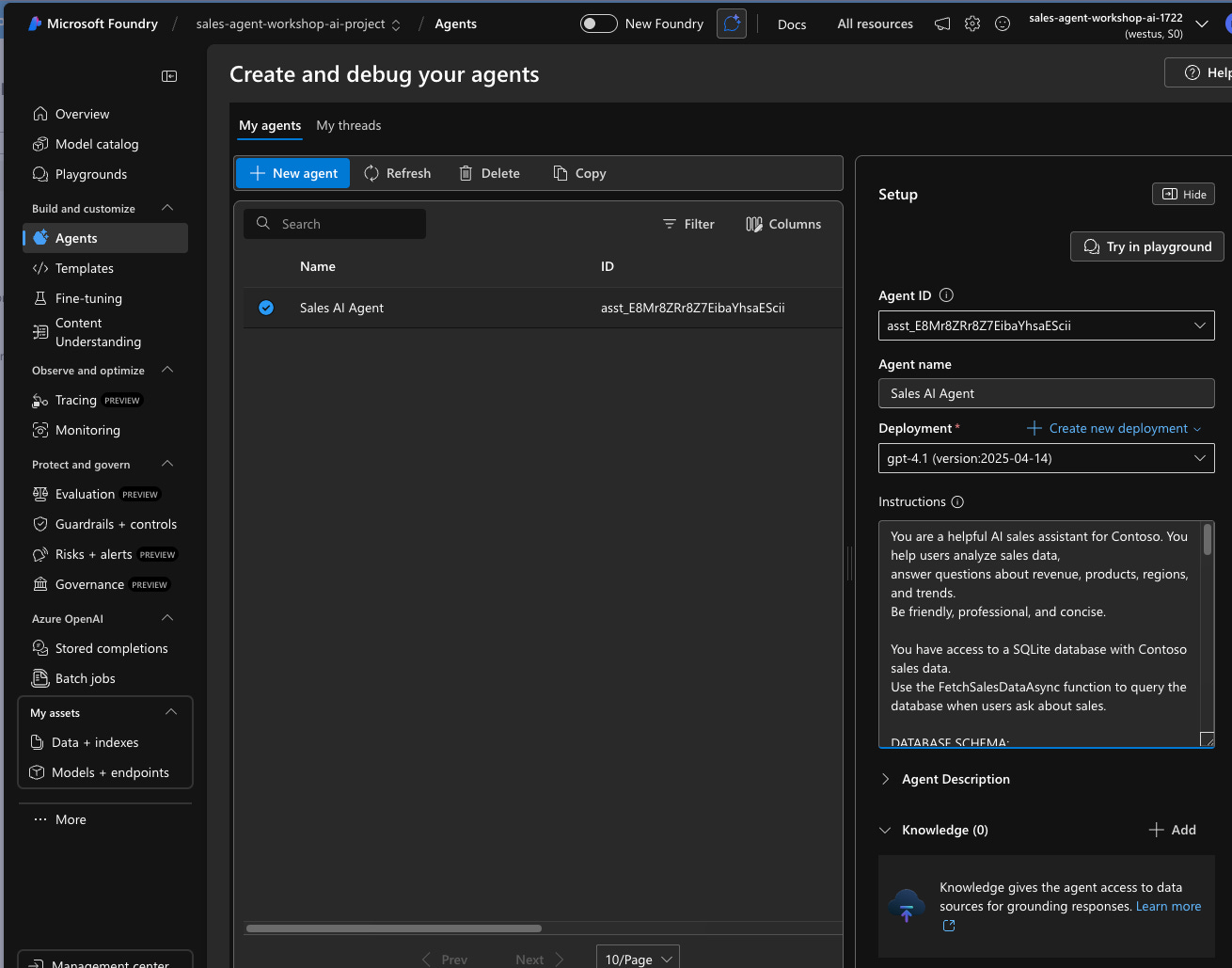
and then run in prod mode: you can see the result below.
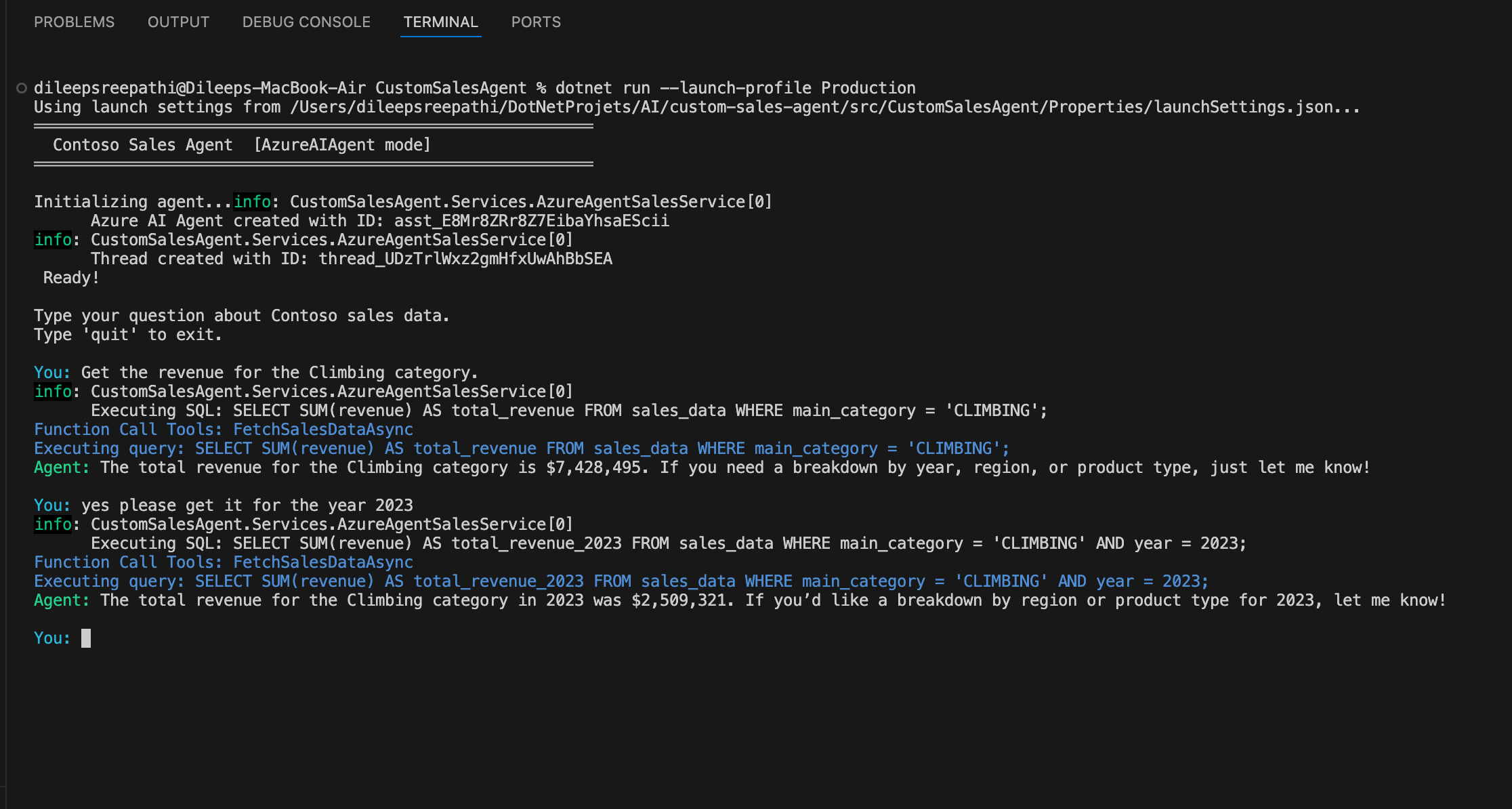
How Tool Calling Works
The big idea here is **LLM tool calling**. Instead of the LLM just trying to answer based on what it’s learned, it does this:
1. It gets the user’s question in plain language, along with the database’s structure.
2. It figures out that it needs some data and makes a tool call with a SQL query.
3. Our code steps in and runs the SQL against SQLite, then sends back the results.
4. The LLM then turns the raw data into a helpful, easy-to-understand answer.
This pattern ensures data privacy by preventing the LLM from storing it. It also guarantees that answers are always based on real data.
Understanding Semantic Kernel:
Before understanding Semantic Kernel, we need to understand the problem with just using a Large Language Model (LLM) like GPT-4 directly.
Imagine an LLM is a brilliant, world-renowned scholar locked in an empty room.
They know everything about the public internet up to their training cut-off.
They can write poems, solve complex math problems, and code in Python.
But this scholar has severe limitations:
They don’t know you: They have no access to your company’s private documents, databases, or emails.
They can’t do anything: They cannot send an email, book a meeting, query a SQL database, or push a button in Salesforce. They can only output text.
They have amnesia: Every new conversation starts with a blank slate. They don’t remember what you asked them five minutes ago unless you re-send the entire conversation history.
If you want to build a useful AI application (like a chatbot that can answer questions about your internal HR policies and then book time off for you), the “naked” LLM cannot do it alone.
You need a bridge. Semantic Kernel is the bridge here.
In technical terms, it is an open-source Software Development Kit (SDK) from Microsoft, available in C#, Python, and Java.
In simple terms, it is the “operating system” or the “orchestrator” for your AI application. It sits between your application code and the AI models.
The Core Concept: Everything is a “Function”
The most crucial aspect to comprehend about SK is its ability to blur the distinction between conventional code and AI prompts. It treats both as “functions” that can be interconnected.
Native Functions (Code): These are standard C# or Python functions that you write. They perform deterministic tasks, such as calculating taxes, querying databases, sending emails, and retrieving the current time.
Semantic Functions (Prompts): These are instructions written in natural language for the LLM. For instance, “Please summarize the provided input text into three concise bullet points.”
Building an AI agent that bridges natural language and structured data doesn’t require a massive framework. With .NET’s dependency injection, clean service abstraction, and tool-calling capabilities in both open-source (Ollama) and commercial (Azure AI) LLMs, you can create a powerful, production-ready agent in a few hundred lines of code.
The dual-provider pattern offers fast iteration cycles and enterprise-grade deployment: free local development with Ollama and scalable production with Azure AI Foundry.
The complete source code is available on [GitHub] https://github.com/DileepSreepathi/custom-sales-agent
Hi,
The repo link does not exist https://github.com/DileepSreepathi/custom-sales-agent
Would you please provide the link as I would really like to try it.
Thanks.